Mozilla Phabricator User Guide
User Guide
As Mozilla’s Phabricator instance has only small modifications from stock Phabricator, much of Phabricator’s user documentation is fully applicable. Several sections are of particular interest.
Differential is Phabricator’s code-review tool. Useful articles include the Differential User Guide, the FAQ, and the Inline Comments guide. As usual, there are other articles available for specific subjects.
Another useful application is Herald, which can perform actions, such as sending notifications, based on object changes (such as a Differential revision being created or updated). There is a short user guide available.
MozPhab is a custom command-line tool, moz-phab, which communicates to Phabricator’s API, providing several conveniences, including support for submitting series of commits.
Creating an Account
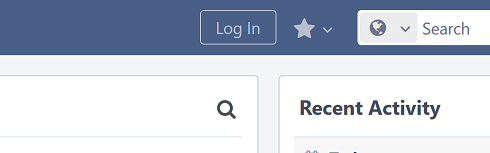
The first step toward submitting a patch via Phabricator is to create an account. Visit our Phabricator instance at https://phabricator.services.mozilla.com/ and click the “Log In” button at the top of any page.
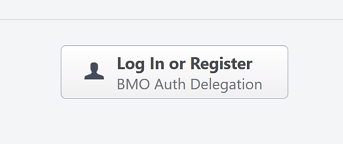
You’ll be taken to another page with a single button, which will in turn take you to bugzilla.mozilla.org (BMO) to log in or register a new account.
After you’ve done so, you’ll be redirected back to Phabricator, where
you will be prompted to create a new Phabricator account. On this
form, the “Real Name” field is taken from your BMO account’s real
name. If your BMO real name also contains the :<matrixnick>
convention, that is, a username starting with a colon, it will be
extracted and placed into the Phabricator account’s username field.
Common surrounding punctuation, e.g. parentheses (()) and brackets
([]) will be stripped out and discarded. If you’ve used some
other way to separate or emphasize your username, you’ll have to
remove the extraneous characters from the Real Name field manually
before clicking “Register Account”. The following screenshot shows
the account-creation form, with default values, for a BMO user with
the real name “Phabricator Test [:phabtest]”.
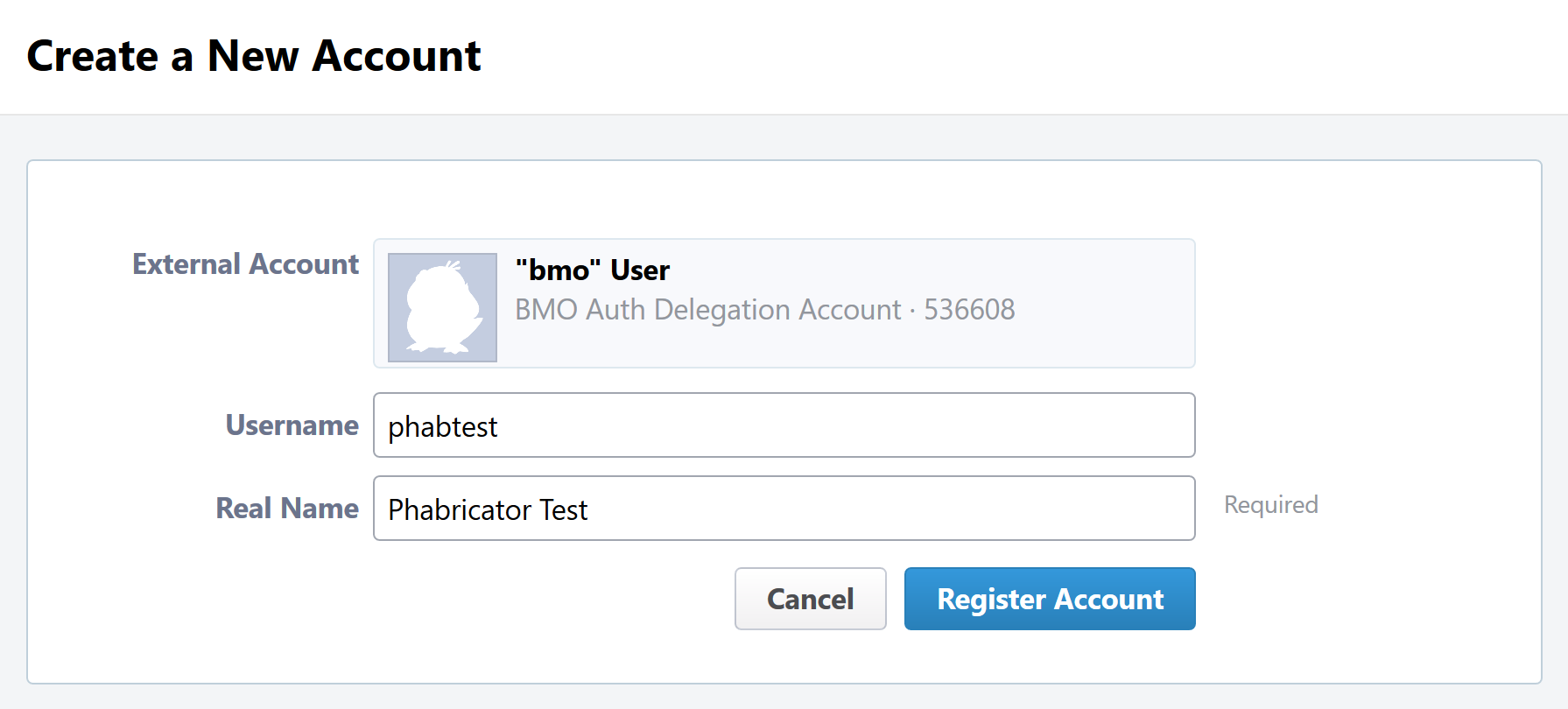
Note that the username field is mandatory, so if you didn’t have one automatically filled in, you’ll have to pick one.
Important
The username field is unique. You should pick a clearly identifiable username, particularly if you will be doing code reviews, such as your nick on chat.mozilla.org. If your nick is not available but you think it should be because, for example, you are at least somewhat known in the Mozilla community, please file a bug or let us know in #conduit on chat.mozilla.org.
You now have a Phabricator account set up and can both submit and review patches (along with using the other Phabricator applications).
Setting up MozPhab
The preferred and officially supported ways to submit patches are via our custom command-line tool, moz-phab.
If you’re working out of mozilla-central, the easiest way to install moz-phab is:
$ ./mach install-moz-phab
Otherwise, installing the tool depends on your operating system:
The next step is to authenticate MozPhab with our Phabricator installation. From within your project’s repository, run the following command:
$ moz-phab install-certificate
This will prompt you to visit a page on our Phabricator instance, which
will generate an API key for you to paste into your terminal. The
key is stored in the file .arcrc in your home directory on macOS or
Linux, and on Windows it is in %APPDATA% (likely the AppData\Roaming
subfolder of your user directory).
Submitting Patches
Using moz-phab
moz-phab is a custom command-line tool that provides support for commit series, as well as providing other conveniences, including the parsing of bug IDs and reviewers from commit messages. We recommend using it if you regularly construct stacks of dependent changesets, or even if you regularly review them.
Usage instructions are in the repository’s README.md. Note that moz-phab is in active development, with new features and improvements landing regularly. See the current bug list for details.
Reviewing Patches
Performing a review involves two steps, both of which are technically optional but will usually be used together:
Leaving comments on the diff and/or on the revision generally.
Choosing an action to indicate the next step for the author.
Leaving comments is fairly straightforward. For inline diff comments, click on the line number where you want to leave a comment, and enter some text. The text editor is quite rich; you can use many styling and formatting tools. Below the diff is another text-entry box, which can be used for general comments (“Looks good to me”, “Here are some suggestions for your overall design”, etc.).
At this point you can click the “Submit” button at the bottom; however, this will leave the review open. You might want to do this if you have some preliminary comments and plan to give a more detailed review later. Usually you will want to use the “Add Action…” dropdown to signal a clear intent to the revision author and to communicate what they should do next. These actions include:
Accept Revision: The diff is good as it is and can be landed, or at most requires small changes that do not need re-review.
Request Changes: The diff needs some changes before it can be landed. Specific change requests should be left as comments, as described above.
Resign as Reviewer: This indicates that you are not able to or do not wish to review this change. You will be removed from the reviewers list and hence will not get notifications of updates to the revision. You should explain in a comment why you are resigning (e.g. going on vacation soon, not your area of expertise, etc.) and ideally a substitute reviewer or other action for the author to take, if there are no longer sufficient reviewers on the revision.
Other Revision Actions
In addition to the review-related actions mentioned in the Reviewing Patches section, there are other common tasks that are accomplished through the actions dropdown. The following are available to revision authors:
Request Review: Asks the reviewer(s) to take another look at the revision. If it is not already, the revision status will be changed to “Needs Review”. If a reviewer has previously accepted the revision, their review status will be changed to “Accepted Prior Diff” (the icon for this status is similar to the “Accepted” checkmark, but it is grey instead of green).
Plan Changes: Removes revisions from reviewers’ queues, meaning that they will no longer be visible under “Ready to Review” on their “Active Revisions” dashboards, until a new diff is uploaded. The revision will appear under “Ready to Update” on the author’s “Active Revisions” dashboard.
Abandon Revision: Indicates that a revision is no longer relevant and should be disregarded.
Reopen Revision: Reopens a revision that has been closed (either manually or automatically) after a revision landed.
Reclaim Revision: Reopens a revision that has been abandoned.
There is another action available specifically to nonauthors:
Commandeer Revision: Allows you to take over a revision by becoming its author. Note that the original author will no longer be able to post updated diffs to the revision. Note: Lando doesn’t care who owns the revision on Phabricator, but, it does care about the commit author. When updating someone else’s commit, you can use
hg commit --amend --user "Other Person <example@mozilla.com>"orgit commit --amend --author="Other Person <example@mozilla.com>"to set the commit author information to the right person.
After selecting an action, you must always hit the “Submit” button below. You may optionally add a comment to indicate your reasoning behind the action or other relevant notes.
Landing Patches
For Mercurial repositories, in particular mozilla-central, we highly recommend using Lando. See Getting in Touch to have repositories added to Phabricator and Lando.
If you do not have the commit applied locally and you are landing someone else’s
patch, you can run moz-phab patch D<revision id> --nobranch to apply the
commit(s) locally (--nobranch ensures the commits are applied to the current
branch/head). You can then push the commits as usual.
You could also run moz-phab patch --apply-to here --nocommit --skip-dependencies
D<revision id> instead. This will apply the diff locally but not commit it,
nor will it apply any parents. You can then commit it manually, using the
revision title as the first line of the commit message and the Summary field
as the body.
Our Installation
Mozilla’s Phabricator instance is a fork with a few small patches applied, and some custom extensions. The patches and extensions are intentionally small in scope and are limited to supporting integration points with bugzilla.mozilla.org (“BMO”).
See Conduit Repositories for the location of our source code.
Applications
Phabricator is actually a suite of many applications, from a code-review tool to wikis to a blogging platform. At Mozilla, we already have existing applications that solve many of these problems. To prevent the re-emergence of the all-too-common problem of having to choose between several tools that are all functionally similar, we have disabled the use of some of these applications.
The default left-side menu in Phabricator lists the most important applications for Mozilla’s use case. In addition to Differential and Herald, described above, we support or are trialing several other applications and utilities:
Dashboards allow users to set up custom pages to display useful information, for example assigned reviews. It seems somewhat limited, though, so we’ll evaluate how useful it really is.
Pholio is an application for reviewing mock-ups and designs. Mozilla doesn’t have a central application for this, so we’d like your input on whether Pholio is useful.
Badges, macros, and tokens: These are mostly bits of whimsy that might enhance user experience by providing some levity. If they’re fun, or at least harmless, we’ll leave them; if they become annoying or distracting, we may remove them.
Note that Phabricator also has a post-commit review system called Audit. This application is mandatory, that is, it cannot be disabled in a Phabricator installation. However, at the moment Mozilla has no defined engineering processes for post-commit review of Firefox and related code, so we do not recommend its use, at least until such time as a process is deemed necessary and implemented. Audit may, of course, be useful to projects hosted on the Mozilla Phabricator instance outside of Firefox.
BMO Integration
Since issue tracking and code review are tightly related, and since BMO is currently the authority for identity and authorization around both issue tracking and code review, including security and other confidential bugs and fixes, our Phabricator instance is integrated with BMO. This integration is intentionally lightweight in order to limit customization of Phabricator, which has both maintenance and opportunity costs. It consists of identity, authorization, links between bugs and revisions, and basic review-status mirroring.
Identity
As described in the Creating an Account section, the main way to log into Phabricator is via BMO’s auth delegation. A user logging into Phabricator is taken to BMO to log in as usual and will be redirected back to Phabricator if the login succeeds. If this is the first time the user has logged into Phabricator, they will be prompted to create an account. New users will also be prompted to enter a separate username, unlike BMO.
Links from Differential to BMO
A bug number must be entered when a patch is submitted to Phabricator. This is stored in the revision metadata and provided in the UI as a link to the associated bug on BMO.
Links from BMO to Differential
Upon the creation of a new revision in Differential, a stub attachment, containing only the URL of the revision, is added to the associated bug. Based on the attachment type, BMO automatically redirects to Differential if the attachment link is clicked.
Review flags
Review flags are not set on Differential stub attachments. The difference in models between the two systems make any such mapping both difficult and potentially misleading, the requisite information is not exposed via Phabricator’s Conduit API, and Phacility have informed us that Differential’s models may be changing.
We will, however, display some revision metadata in associated bugs; see bug 1489706.
Uplift Requests
Uplift requests are submitted as regular review request on Phabricator. See the Release Management guide for more details on how to submit an uplift request.
Mozilla Phabricator Emails
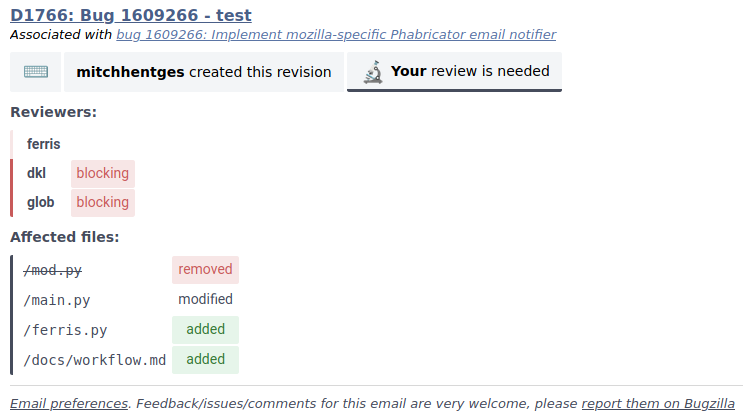
Mozilla has an internal email implementation that integrates with Phabricator and has the following benefits:
There’s less noise per email, and fewer emails are sent per event.
Relevant contextual information is now more clearly available.
Each email is visually structured to be helpful and fast to read.
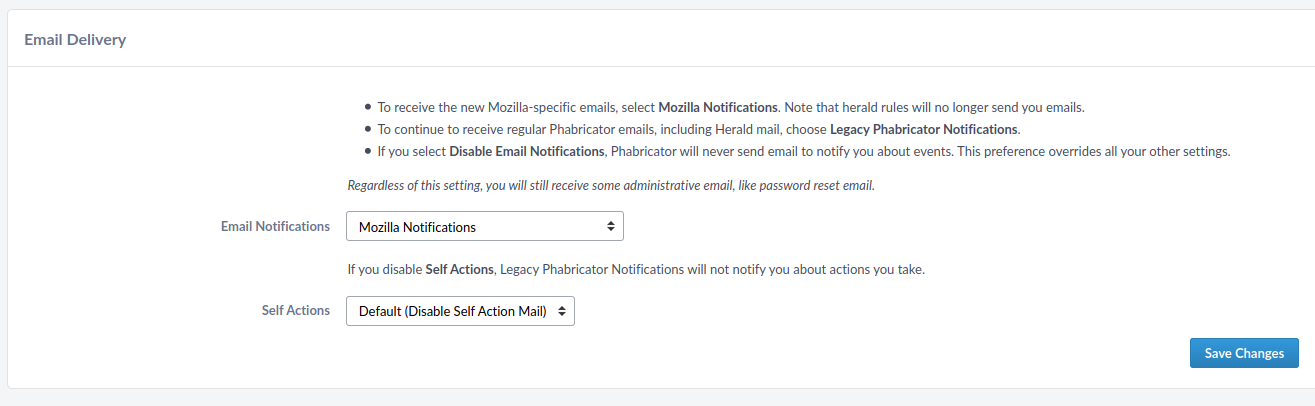
These emails are used by default. However, if you’d prefer to opt-out and use the standard Phabricator Emails, you can adjust your settings:
Open Phabricator.
Click on your avatar in the top right, and click “Settings”.
On the left panel, click on “Email Delivery”.
Change the value of the “Email Notifications” dropdown box and click “Save Changes”.
Note
There are features from the original Phabricator emails that aren’t (yet) replicated to the new implementation, including:
Getting in Touch
If you have questions about our Phabricator installation, you can find the team in #conduit on chat.mozilla.org and mozilla.slack.com. Feel free to join if you’d like to help us out!
Issues can be filed in Bugzilla under the Conduit product. These are the main components:
Administration: For requests to add new repositories and similar tasks.
Documentation: For issues with these and other project docs.
Phabricator Component in BMO: For issues with Phabricator, including our extensions (authentication, BMO integration, etc.) and with the upstream Phabricator product. For bugs in our extensions, we may move them to bugzilla.mozilla.org :: Extensions: PhabBugz depending on where the problem exists in our code. Also note that, as discussed in BMO Integration, we are strictly limiting customizations to our instance. We may, however, work with upstream in fixing important issues.
Lando: For issues with Lando, the UI/API for requesting and monitoring commit landings.
General: Feel free to file issues here if you aren’t sure where they should go. We’ll triage them as needed.
Frequently Asked Questions
See the FAQ on the wiki for answers to common questions and issues. The FAQ is on a wiki to make it easier to maintain; please feel free to update it if you come across other frequently asked questions!